Quantum Fiber with OpenWrt on a GMKtec NucBoxG9
Back in January 2025, I got OpenWrt running on a MikroTik Hex S and detailed the setup process for CenturyLink fiber. Since then a few things have changed.
The Backstory
The short story for my neck of the woods (Southern Utah) is that originally, we had a local DSL provider named “Qwest”. You can still see random Qwest logos on some of the infrastructure around here. According to Wikipedia↗, in 2010 Qwest merged with CenturyLink. From that point on, CenturyLink has been one of two ISPs in my area and is the only one I’ve ever used. They’re “not great, not terrible” generally speaking. Since I’ve moved back to St. George about 5 years ago, I’ve happily paid for their gigabit fiber and it’s really been quite reliable. I really can’t recall a single outage.
Then, as businesses do be doing business, CenturyLink rebranded themselves as “Lumen Technologies” and also rebranded their residential fiber to “Quantum Fiber”. It seems like the only real reason you’d change the name of an established business is to distance yourself from negative brand impressions. Imagine if Nike changed their name. I’m sure there were legal shenanigans as well, such as maneuvering to get out of “price for life” guarantees they’d sold, but maybe that’s just overly cynical. Then, in 2025, Lumen sold “95%” of Quantum Fiber to AT&T. I’m not entirely sure how this got past the FCC and the FTC, but it did. Long story short: I now have AT&T internet. I don’t feel great about that, but it’s not like the track record was pristine before. I love the idea of municipal fiber or at least small, locally owned ISPs, but apparently we’re living in some form of private-equity ultra-conglomerated late-stage capitalism so it’s just the way things will be until the market can outcompete conglomerates. I personally have optimism that the technology will progress to allow more competition, but I don’t have any strong arguments there.
All things said, my service has been reliable, a decent price: $75/month that is now somehow $80/month for more-or-less symmetrical 1 gig fiber. The other option in my neighborhood offers 1 gig fiber as well for $75/month “price for life” so it’s about sixes either way.
The Bufferbloat Problem
I’d been running the MikroTik router for a while, and it was really “fine”. It seemed like it limited my bandwidth to just about 600 Mbps up/down, which I deemed “okay”. But it only has an 880MHz MediaTek MT7621A which is pretty anemic on a busy home network. I’ll have kids online gaming, multiple streams running to TVs and tablets, HomePods streaming music, and on top of that I work from home full time and really just need a “balls to the walls” home internet connection. Even infrequent quality issues on a work call can really look unprofessional and limit my ability to do my job to my full abilities. I wanted something better. With summer just around the corner where my network would be heavily used, I decided the time to improve it was now.
It finally came to a head one day when I decided to run some bufferbloat↗ tests using Waveform’s browser-based tool↗ and I got a solid F. I investigated a few options in OpenWrt. The best solution is to use the Smart Queue Management↗ package to run the “cake” queuing discipline. Look, I don’t fully understand what all this means or how it works in the nitty gritty, but I understand it’s just the modern Linux solution to the bufferbloat problem. Have you ever been downloading a large file at your full ISP bandwidth and noticed your internet seems to drop out? That’s bufferbloat. More subtly, if you’re using ping-intensive applications like online gaming and video conferencing, and someone starts a big download like an OS update, HD video stream, or game download, those services’ ping will suddenly spike and degrade performance until, just as magically as it appeared, the issue vanishes when the download finishes. Running an SQM algorithm like cake will reserve a chunk of your actual ISP download/upload speeds and never use them. It literally decreases your maximum download speed in order to make sure the upstream queue (ISP) never fills and can completely eliminate the bufferbloat problem. If you live alone or only have a single device using the network at a time, this is all probably irrelevant. But if you are like the majority of modern households with multiple people using multiple devices to do almost everything all at once, it can be a real problem. Which is why sacrificing ~5% of your theoretical ISP limit is a fair tradeoff. However, all this queue management stuff runs directly on the CPU, so the CPU becomes the real bottleneck when trying to run some form of queue management. Most consumer networking hardware includes only the bare minimum specs to support whatever label marketing needs to slap on it such as “Gigabit”. My MikroTik just didn’t have the CPU overhead to reliably run any queue management without absolutely tanking my network speeds.
The Router
I spent the better part of an afternoon searching for a great standalone router. I don’t want or need my router to have any wireless hardware on it. I use a set of dedicated mesh APs and I want to be able to swap them out without my actual network going down. I just want the separation of concerns, I guess. It feels much more robust. Initially I was leaning towards one of the Banana Pi router boards but they were all out of stock and the ones that existed were just not worth the inflated prices. I thought about building some kind of small form factor PC but that felt out of my price range. I was looking to spend around $150-$200 and I wanted the most bang-for-buck possible. Things like 2.5GbE+ were desirable for future proofing, if possible. I almost pulled the trigger on a GL.iNet Flint 2 but I just really really did not want to pay for something with WLAN hardware, and at $169 it just felt overkill. The issue is there’s not a great middle ground between the bare-minimum marketing-approved hardware and totally overkill “prosumer” gear like Ubiquiti. Heck, even the entry level Ubiquiti EdgeRouter X has the same CPU as my MikroTik! There really wasn’t a great single option.
I was eventually led to the “mini PC” space. These are pretty popular right now, and seem to be about a dime a dozen with a new model coming out weekly. However, depending on the model, they can be attained for my target price range. Specifically, mini PCs running the Intel N150 platform are all the rage, and they generally seem to be great bang for buck and have only 6 watts of idle power consumption which is acceptable for an always-on appliance. Most even have dual 2.5G NICs. An important limitation for my selection was something with Intel NICs, not Realtek. I just don’t trust Realtek NICs. I’m sure for others they’d be fine but I wanted Intel!
The “NucBoxG9” from Shenzhen-based GMKtec was released some time in early 2025 and is actually billed as an “NVMe mini NAS”. Its standout feature is 4x M.2 NVMe slots that you’re supposed to fill up with SSDs. However, actually doing so is a thermal nightmare, most detailed by the venerable Jeff Geerling↗. For my use case, I don’t care about using SSDs at all. The built-in 64GB eMMC storage is way more than an OpenWrt install would ever need. Most notably, it has two 2.5 GbE Intel i226-V NICs.
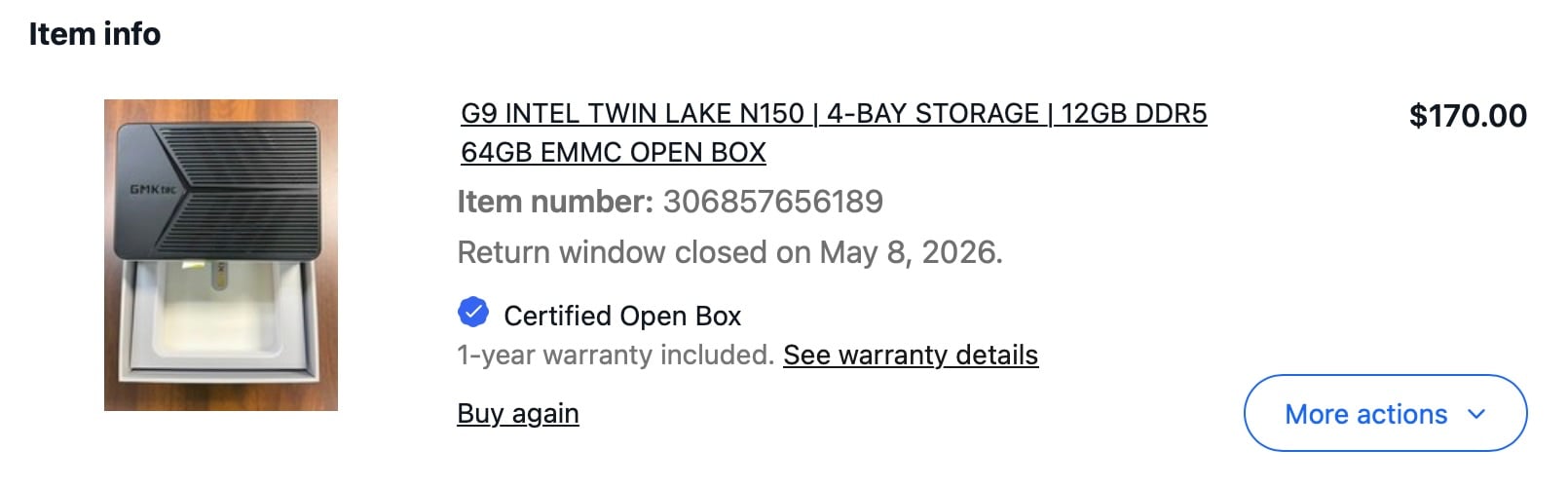
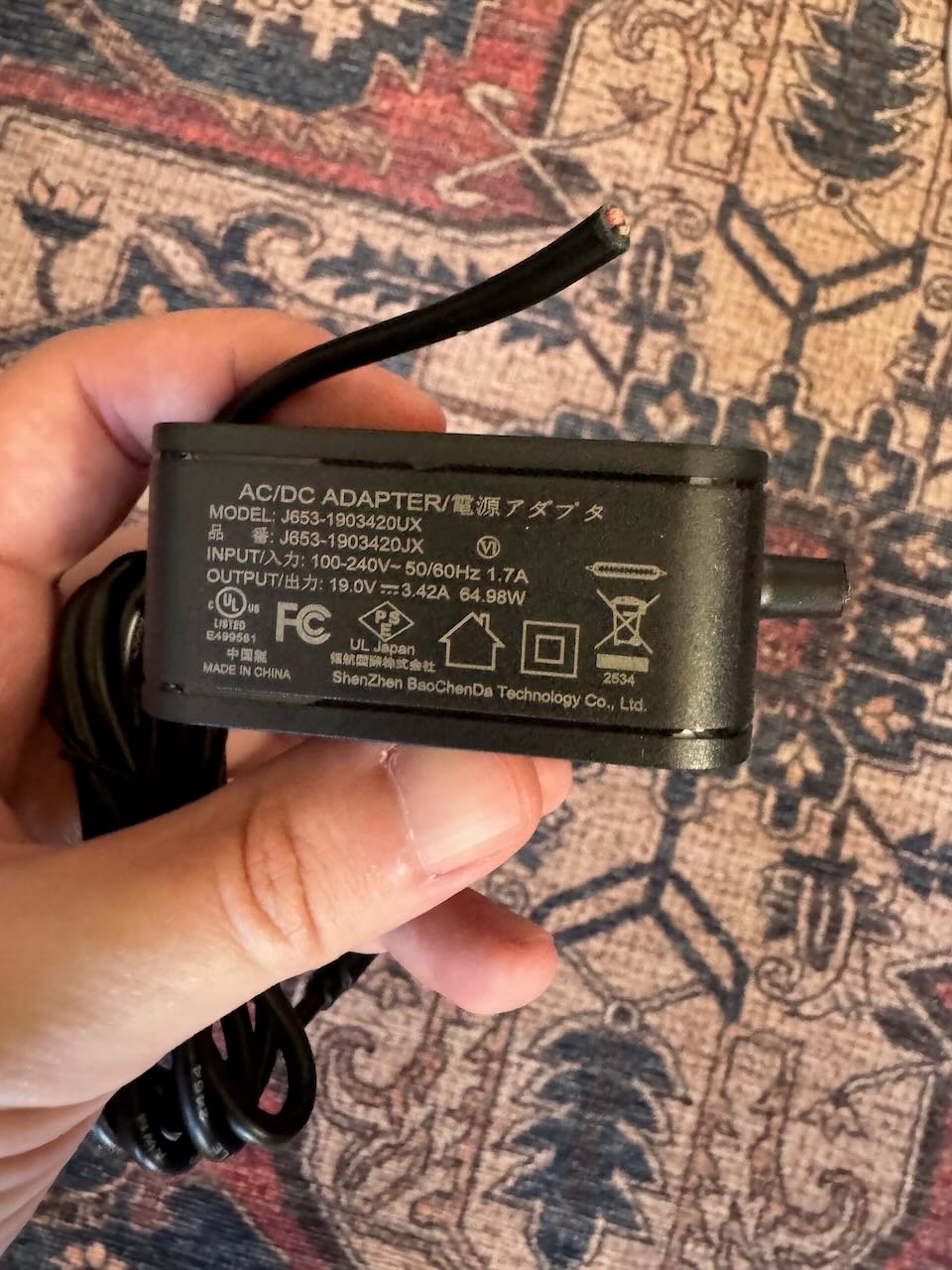
It seems that, at the time of writing, it’s actually out of stock now and unproduced, so unfortunately if you’re hoping to follow along exactly you might be out of luck. However, I’m sure there are plenty of other N150 based mini PCs that would be equally suitable! I was able to score an open box unit on eBay for $170 (before tax) after a bit of back and forth with sending an offer. It arrived within a few days and I had it up and running quickly. It comes with a USB-C power adapter that outputs a constant 19 volts always. That is a huge spec violation and would very likely result in ruining whatever you plug it into that isn’t the NucBoxG9. Seriously, what were they smoking? If you’re going to do that, just use a barrel connector. I actually think it should be illegal. Fortunately, there’s another USB-C port that supports the regular USB-C power delivery stuff so I am powering mine with an Apple 96W USB-C power adapter. I actually cut the cord off the cursed power adapter right away and threw it in the trash because there’s a good chance one of my kids would try to plug it in to their iPad or Nintendo Switch. Again, what were they thinking.
x86 OpenWrt
OpenWrt started back in 2004 after Linksys was pressured into releasing the GPL’d source for the WRT54G router. Up until a few years ago, running OpenWrt on x86 just didn’t make a ton of sense and was, generally speaking, total overkill for any consumer setup. Heck, it still really is overkill most of the time. But Intel really knocked it out of the park with the N100/N150 and systems based on that platform have become ubiquitous in 2026. I’m happy to report that, more or less, x86 is now a first-class citizen in OpenWrt.
The one snag is that there’s no “installer”. Most Linux distros ship an installer ISO that can be booted to install the actual distro. OpenWrt just ships the raw filesystem ISO. You’re expected to just dd it onto your storage medium directly. Feels a bit clunky, but works pretty well. However, the G9’s eMMC is internal and soldered down, so I’d have to flash a bootable drive with some distro and then do it all manually. It’s really not that bad, but I decided to make my own bootable OpenWrt installer.
Alpine Linux is pretty cool and pretty small. It also has a great paradigm of “overlays” to make custom images based on the Alpine default. I decided to vibe code up an Alpine based OpenWrt installer. I won’t go too much into the details but it’s really just Alpine Linux, the latest OpenWrt image, and a bash script all bundled into one ISO that can be flashed and booted from any USB drive. Ideally it would be totally headless, but I didn’t make it that far before the G9 arrived and I haven’t been chuffed to work on it at all since. You can check out the repo on GitHub↗ if you’re interested.
The Migration
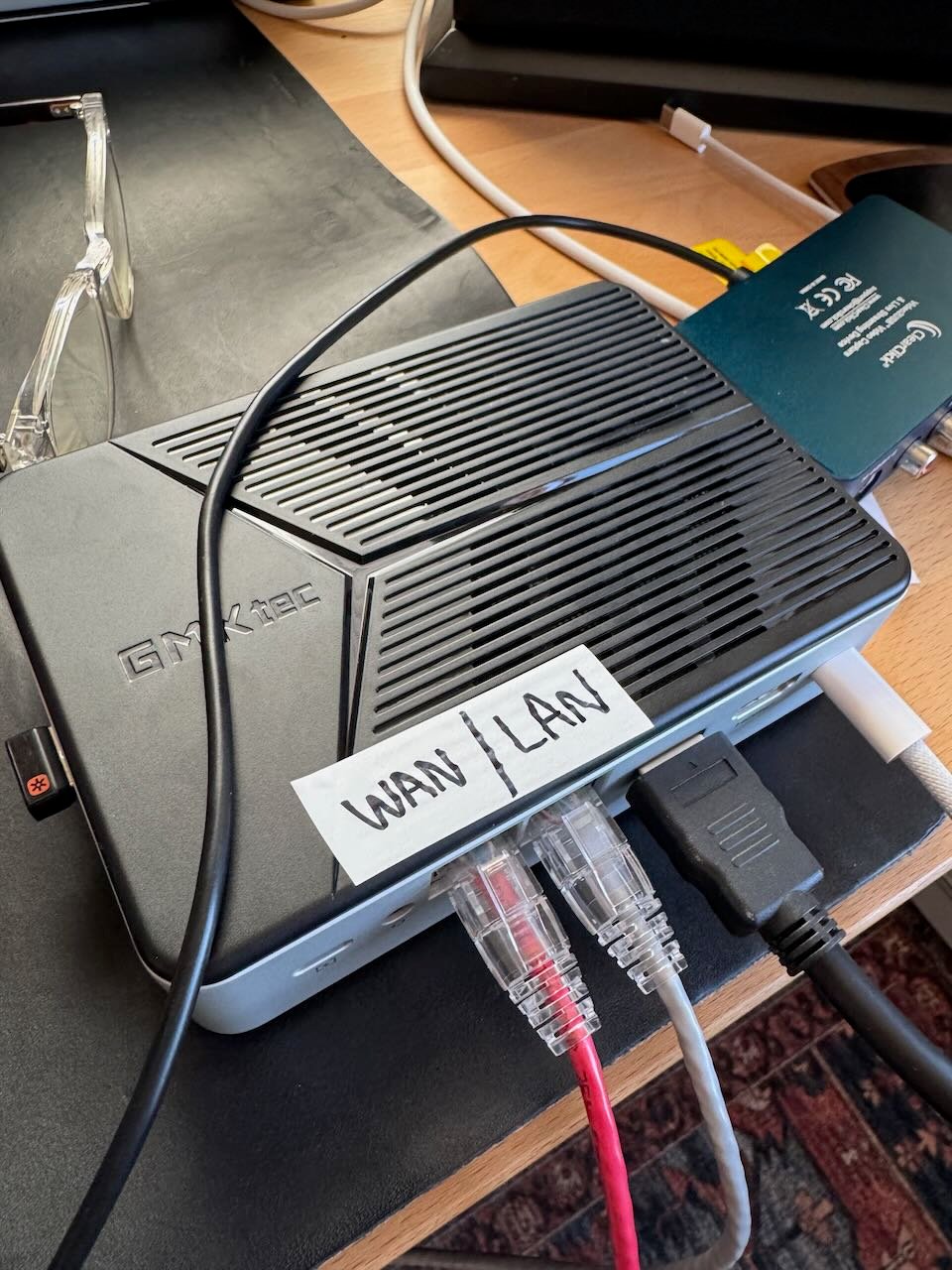
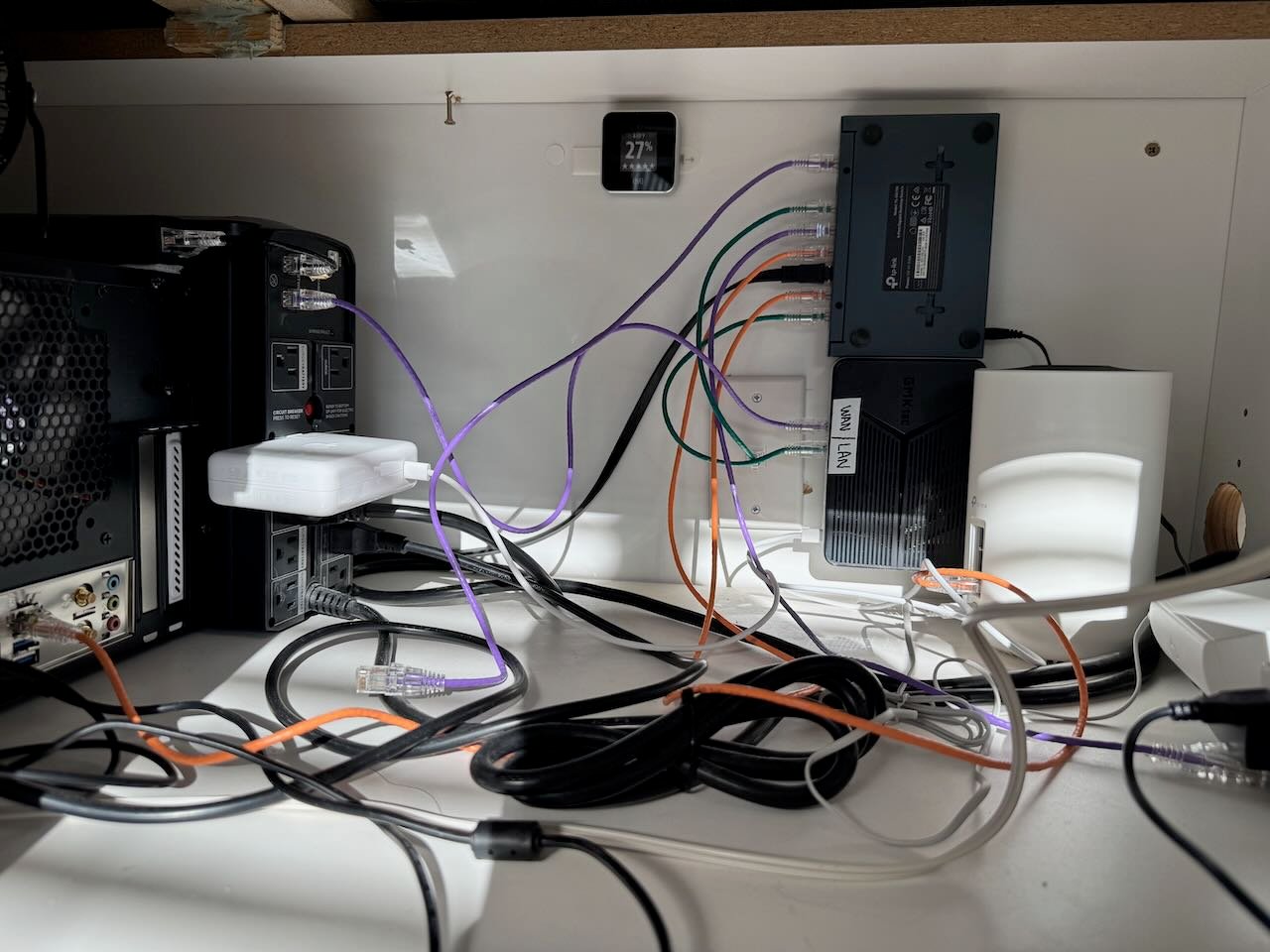
I wanted minimal downtime as I switched out the routers. I had Claude ssh into my existing router and create a bash script with all the current config. It doesn’t seem like there’s a great way in native OpenWrt to fully back up all configs for a system transfer like this, at least not that I’ve found yet. Claude was also able to help me prune the generated restore script for things that were redundant or unused. I plugged the G9’s WAN into my LAN, and the LAN port into my MacBook and ran everything over ssh. It “just worked”. Then, I opened my server closet, unplugged the MikroTik, plugged in the G9, and everything came back online within a few minutes. No finagling! I couldn’t really believe how smoothly it all went. Like everything, it’s still a work in progress. Better automated backups and redundancies is an ongoing project.
From there, I did some additional installation and configuration of the SQM package. It needs a few runs with the Waveform bufferbloat tool to dial in the bandwidth settings exactly, and your network needs to be relatively quiet when doing it, so I had to wait for a more opportune time. Eventually I got things dialed in very well, and now have an A+ score↗.
“Shaka, when the walls fell”
This all worked very well for about a month! However, yesterday (Mother’s Day in the USA) my internet randomly went down.
I tried the usual. Reset the ONT. Checked for OpenWrt updates. Rebooted the WAN connection. Nothing! I know that there are some kind of behind the scenes infrastructure upgrades happening with the Quantum Fiber rollout and further complicated by the AT&T buyout, and I’ve feared this will break my amazing “bare metal” OpenWrt directly to the ONT setup for a while. The problem is there’s no way to get reliable information from the ISP. You can search through Reddit threads of people from all over the country talking about their specific issues, but it seems like the actual infrastructure is highly dependent on your specific area. A solution from Oklahoma isn’t necessarily the solution for Utah.
I checked for an outage in my area, but their website said there was none. After a quick Google, it seemed like Quantum Fiber was removing PPPoE in favor of IPoE (which is apparently just their way of saying DHCP). PPPoE is some relic of the dial-up internet days, IPoE just means regular old modern networking via DHCP. I flipped my config to see if DHCP would fix it. No dice. Neither DHCP nor PPPoE could connect to my ISP.
This is where I made a mistake. What I should have done is touched grass. But I work from home and really needed to have a working internet connection at 9AM Monday morning. What I did was call support. Huge mistake.
Thankfully, they answered pretty quickly and their offshore agent informed me my account had been migrated from PPPoE to IPoE and that they’d need to schedule a service visit to upgrade my modem to support IPoE. It sounded authoritative, but the earliest appointment wasn’t until Tuesday morning. It was the best option I had though, so I scheduled it and the agent was happy to get off the phone.
I decided to keep troubleshooting on my own, hoping to get something working before Tuesday. I called support again to see if there was anything on their end they could do. I suspected perhaps my router’s MAC address needed to be allowed to talk to the ONT? Still, it didn’t explain why it worked fine until randomly on a Sunday it did not. During this second call, I was informed there was actually an outage in my area. The support rep told me they couldn’t do anything during the outage and hung up. Checking their support page again, it showed an outage. For some reason I found their outage report to be suspicious but if the ISP is telling me it’s not going to work, I don’t think there’s anything I can do to make it work.
The next morning I checked the support page at 8AM. Outage still reported, so I packed up and headed to my Mom’s house to work for the morning. Ironically, she also has Quantum Fiber but hers was working fine. After a few meetings, I checked again and the outage was reportedly fixed. So I packed up and headed back home to see if it really was.
Still no dice. Neither PPPoE nor DHCP was working at all. I called support a third time, still answered by a “helpful” offshored agent who more or less told me the same thing as the first call - we needed to schedule a service visit to upgrade my modem. Explaining that I had no modem, just a router and the ONT didn’t yield any fruitful dialog trees. Helpfully, my existing appointment had been automatically cancelled once the outage was fixed, so we rescheduled it for Tuesday morning.
I decided to have Claude poke around in my router again to see if it could find anything useful. This was a pretty delicate dance since I had to hotspot on my phone for Claude to work, but still needed access to my LAN to get access to the router. I found that starting a Claude session with WiFi connected to my hotspot and then plugging in an ethernet adapter connected to my LAN allowed Claude to still work but also gave me LAN access. We tried flipping back and forth between PPPoE and DHCP. Claude determined DHCP was totally dead, no traffic or responses at all from WAN there. PPPoE was more interesting. There was a response from the ISP that my DSL account had been deactivated. Claude told me I needed to call support and tell them this was the response I was seeing.
Fourth time’s the charm, right? Well, it turns out it was. As soon as someone answered the phone, I knew it would be okay. It was a person who was apparently a native English speaker and wasn’t simply reading a script. I explained that after an outage, my PPPoE connection was returning an error about my DSL account being inactive. He put me on hold to talk to the “programming team”. It was a grueling 15-minute wait, but eventually he popped back on and asked which modem I was using. I explained I was using a custom router with OpenWrt but that it had been working fine with PPPoE up until yesterday. He let me know they were probably going to switch me to DHCP but would confirm with the programming team on the other line. After another short wait, he asked me to switch my router to DHCP. Immediately after doing so, my WAN came online, fully active. Apparently there was some switch they had to make on their end and just like that, it was fixed.
Lesson learned? If you call Quantum Fiber and someone answers that does not sound like they’re based in the US, just hang up and call again. I absolutely despise that this is the solution. It’s a training and skill issue, not a language barrier issue. I actually asked Mr. USA what the deal with that was, that this was my fourth call into support and the first one that was helpful at all. He explained that his group works regular 9-to-5-ish hours M-F. If you call outside of those hours, or if the call center is getting a lot of traffic, they might route the call to an offshore call center. So again, my takeaway is that you should wait until “normal business hours” in the US and then call. If an offshore agent answers the phone, just hang up and call back. Talking to the offshore support reps is a waste of time at best, and might have actually been what broke the existing working PPPoE setup when the outage was resolved.
It’s frustrating that this is the state of ISPs in the US. Gone is the local support. It’s all been lobotomized and commoditized at the cost of the end user. It would be so much better in my opinion if I’d called on a Sunday and they’d just said that their support would be back Monday morning and to try again later. Then, I would have touched grass and not wasted an hour of my time on the phone with support that was unable to actually help. Even from a business perspective, the result of the call being to schedule a technician to come to my house feels like a huge waste of resources. Why make a person schlep all the way to my house when the problem is totally solvable over the phone? It seems like the offshore call center is actually losing them money, not saving them any.
The Working Config
This page from minus273.org↗ really has what you need, both for PPPoE and IPoE, but I’ll reiterate my working setup just for posterity. Both configurations still need vLAN 201 tagging. That has not changed. Here’s the relevant config:
config device 'wan_vlan'
	option type '8021q'
	option ifname 'eth1'
	option vid '201'
	option name 'eth1.201'
	option ipv6 '0'
	option txqueuelen '5'

config interface 'wan'
	option device 'eth1.201'
	option proto 'dhcp'
Next Steps
I’ve been dreaming of redundant ISPs for a while. If my neighborhood has two gigabit fiber providers, I kind of want to just have both of them to try and eliminate any possibility of outages. It just feels so overkill to pay for a whole other ISP just to not really use it ever. It’s possible to do some load balancing in OpenWrt, but to bond them to a single 2 gig connection requires an external server in a datacenter so that feels not worth it. I wonder if I could just get the other ISP set up to failover at any time, and then park the account until I needed it? A fifteen-minute outage while I log in to an account to reactivate it feels like a great disaster recovery scenario to me.
My G9 only has the two NICs, but it has M.2 PCIe lanes up the wazoo. You can buy an M.2 Intel i226 NIC for like $25 so I think it would be relatively doable on the software side to get another one set up. Physically, I’m not sure how it would all go together. If I went with my ready to go, inactive account plan, then I guess I would just swap a single ethernet cable between the fiber ONT and the cable modem which wouldn’t be too bad either. Ah, but then I’d need to also have the necessary config for either, which would presumably be at least removing the vLAN tagging.
On the other hand, I work from home and it’s my family’s sole income source. $150/month for redundant ISPs doesn’t seem out of the question, as crazy as that may be.
The End
This post has gone on for way too long already! I’m really happy with my new router. I really enjoy fiddling with OpenWrt. I’m casually eyeing some APs I could run it on as well to get rid of my proprietary Chinese setup, but so far there’s nothing with WiFi 7 that can run OpenWrt and I don’t really want to degrade my network. It might be worth it though, I’m really debating it!